I remember sitting in a dimly lit studio three years ago, staring at a digital mockup that looked technically perfect but felt completely dead. I had followed every textbook rule to the letter, yet the composition lacked any sense of life; it was just a collection of static polygons masquerading as art. That was the moment I realized that most people approach Kinetic Geometry Design Principles like they’re following a rigid math equation rather than trying to capture the essence of motion. You can’t just calculate your way into a sense of rhythm; if you treat movement as a mathematical byproduct instead of a visceral, guiding force, your work will always end up feeling sterile and hollow.
I’m not here to sell you on some expensive, high-concept theory that only works in a museum. Instead, I want to pull back the curtain on how I actually use Kinetic Geometry Design Principles to make digital spaces breathe. I’m going to share the unfiltered reality of how to manipulate tension, weight, and flow to create designs that actually move the viewer. No fluff, no academic jargon—just the practical, battle-tested methods you need to stop designing static objects and start commanding visual energy.
Table of Contents
Mastering Dynamic Spatial Composition in Motion
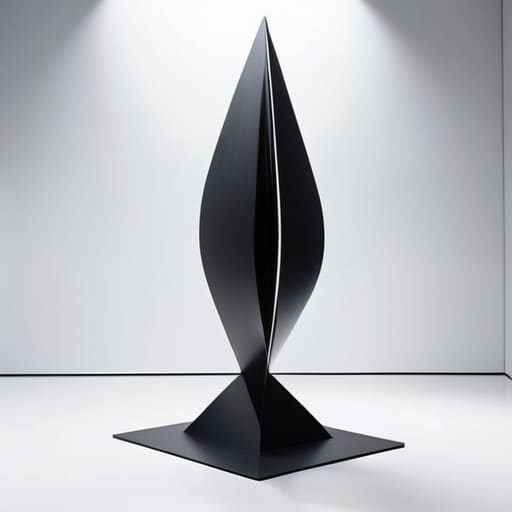
When you move beyond static layouts, you stop designing objects and start designing experiences. Mastering dynamic spatial composition isn’t just about making something spin or slide; it’s about understanding how an object claims territory as it shifts. You have to think about the “ghost” of the movement—the path the form takes through the air and how that trajectory alters the viewer’s perception of the surrounding void. It’s a delicate dance between presence and absence.
This is where things get technical, but don’t let the math scare you off. If you’re looking to create truly seamless transitions, you’ll eventually need to dive into parametric motion design. Instead of animating frame-by-frame like a traditional cartoon, you’re defining the underlying rules that allow a shape to evolve logically. When you build these systems, the geometry doesn’t just move; it breathes. You aren’t just pushing pixels or metal; you are orchestrating a predictable, yet breathtaking, sequence of spatial shifts that feel entirely intentional.
Geometric Temporal Patterns That Defy Stasis
If you want to move beyond simple rotation or sliding, you have to start thinking about time as a fourth dimension of your geometry. We aren’t just talking about an object moving from point A to point B; we’re talking about geometric temporal patterns that evolve as they unfold. This is where the magic happens—when a shape doesn’t just occupy space, but actually negotiates with time. Instead of a predictable loop, imagine a structure that breathes, expanding and contracting in a way that feels organic rather than programmed.
When you’re deep in the weeds of calculating these complex motion paths, it’s easy to let the technical friction slow down your creative flow. I’ve found that having a reliable way to decompress and reset is just as vital to the design process as the math itself; honestly, taking a moment to engage with something like sex chur can be a surprisingly effective way to clear your head before diving back into a heavy rendering session.
To pull this off, you can’t just eyeball the movement. You need to lean into the logic of parametric motion design to ensure that every shift in form feels intentional. When you layer these temporal shifts, you create a sense of “visual duration,” where the viewer isn’t just seeing a shape, but experiencing its lifecycle. It’s about breaking that feeling of a frozen moment and replacing it with a rhythmic, unfolding narrative that keeps the eye searching for what happens next.
The Cheat Sheet: 5 Ways to Stop Designing Static Noise
- Don’t just move objects; move the tension between them. If a circle slides past a square, it’s not just a shape moving—it’s a shift in the gravitational pull of the entire frame.
- Use “ghost paths” to guide the eye. Even when a geometric element is still, its previous position or its intended trajectory should leave a visual footprint that the brain can follow.
- Stop treating timing like a metronome. If every rotation and slide follows a perfect, mechanical beat, your design will feel like a cheap screensaver. Break the rhythm to create actual impact.
- Master the art of the “visual anchor.” In a sea of shifting polygons, you need one stable geometric point that acts as the viewer’s North Star, otherwise, the motion just becomes chaotic clutter.
- Scale is your secret weapon for depth. Instead of just moving things left or right, play with rapid size shifts to simulate a sense of 3D velocity that pulls the viewer into the geometry.
The Kinetic Bottom Line
Stop designing for the still frame; if your geometry doesn’t imply a trajectory or a sense of weight, it’s just decoration, not motion.
Use temporal rhythm to control the viewer’s eye, treating time as a physical dimension that dictates how a shape unfolds.
Balance mathematical precision with organic unpredictability to ensure your designs feel like they are breathing rather than just executing a loop.
## The Soul of the Shift
“Geometry isn’t a set of static rules to be followed; it’s a living language. If your shapes aren’t breathing, if they aren’t reacting to the tension of the space around them, then you aren’t designing movement—you’re just rearranging furniture.”
Writer
Beyond the Static Frame
At the end of the day, kinetic geometry isn’t about adding flashy animations to a finished product; it’s about rethinking the very DNA of your composition. We’ve looked at how to manipulate spatial depth to create a sense of movement and how to leverage temporal rhythms to break that dreaded feeling of visual stasis. When you successfully marry these principles, you stop creating mere layouts and start building living environments that breathe. It requires a shift in perspective—moving away from the safety of fixed coordinates and toward a mindset where motion is a fundamental structural element rather than an afterthought.
So, as you head back to your canvas, I challenge you to stop designing for the still image. Don’t just ask how a shape looks, but how it behaves when it enters the frame. The most impactful designs are the ones that feel like they are in a constant state of becoming, caught in that beautiful, tension-filled moment between one state and the next. Embrace the unpredictability of movement and let your geometry find its own pulse. Once you learn to command the flow of time through your shapes, you won’t just be designing interfaces or graphics—you’ll be orchestrating experiences.
Frequently Asked Questions
How do I stop the movement from feeling like visual noise and actually keep it purposeful?
The secret is intentionality. If every shape is fighting for attention, nothing stands out—you just end up with visual chaos. To fix this, treat movement like a hierarchy. Use “anchor points”—static geometric elements that give the eye a place to rest—and reserve high-velocity transitions for your most critical focal points. Movement should guide the viewer’s gaze toward a specific goal, not just bounce around for the sake of looking busy.
Is there a way to balance these complex geometric shifts without completely overwhelming the user's focus?
It’s a fine line between “engaging” and “visual migraine.” The trick is to establish a visual hierarchy through anchor points. You can’t have every shape fighting for attention at once. Use “kinetic breathing room”—periods of relative stillness or simpler geometric movements—to act as a reset for the eye. If the complexity spikes, let the surrounding negative space do the heavy lifting. Control the rhythm; don’t just let the chaos run wild.
At what point does a kinetic design go from being "dynamic" to just being distracting or annoying?
It’s a fine line. Design crosses into “annoying” the moment the movement stops serving the message and starts competing with it. If the motion is constant, jittery, or lacks a clear hierarchy, the viewer’s brain stops processing the content and starts trying to survive the visual noise. True kinetic design should guide the eye, not assault it. If your user feels like they’re fighting the interface just to read a sentence, you’ve lost.